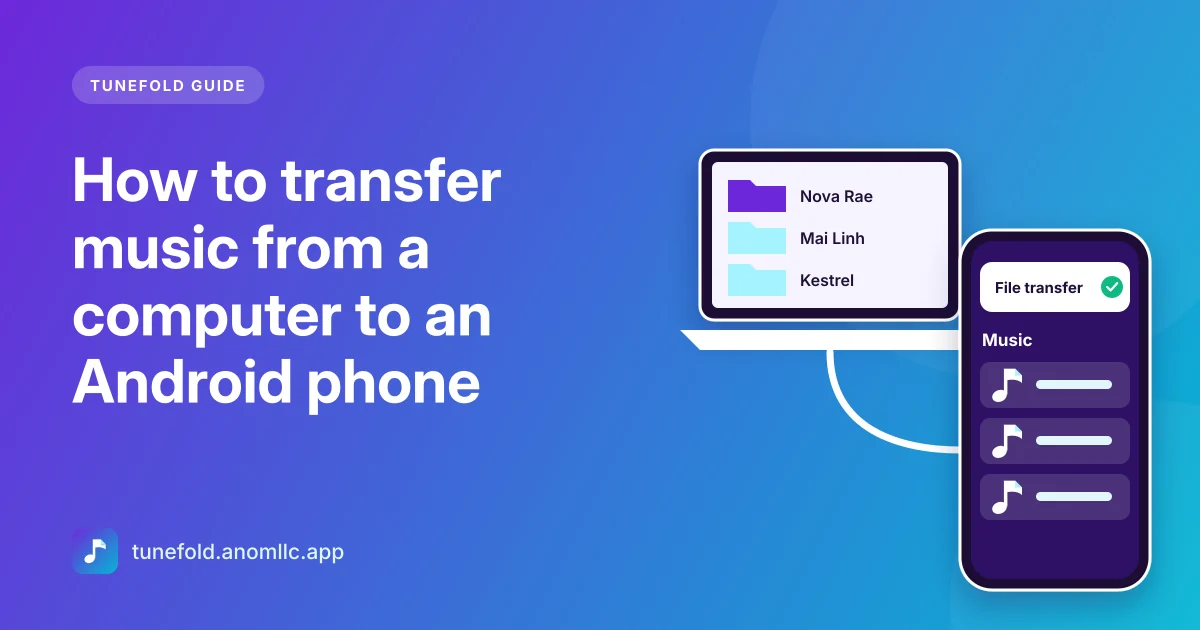
The quickest way to move music from a computer to an Android phone is a USB cable: connect the phone, switch it to File transfer, and copy your music folders into the phone's Music folder. Wireless options work too, and a memory card is handy for big libraries. Below are the steps for Windows and Mac, plus how to make sure the songs show up in your music player afterwards.
Before you start
- Find your music on the computer. On Windows it's usually in Music in your user folder. On a Mac, music bought or imported in the Music app sits in Music > Music > Media. Songs bought on iTunes since 2009 are ordinary M4A (AAC) files that play on Android.
- Check the free space on your phone in Settings > Storage. A thousand songs in good MP3 quality need about 8 to 10 GB.
- Keep the folders. Copy whole artist or album folders rather than loose files. It keeps the library tidy and makes missing songs easier to track down.
Windows: copy music with a USB cable
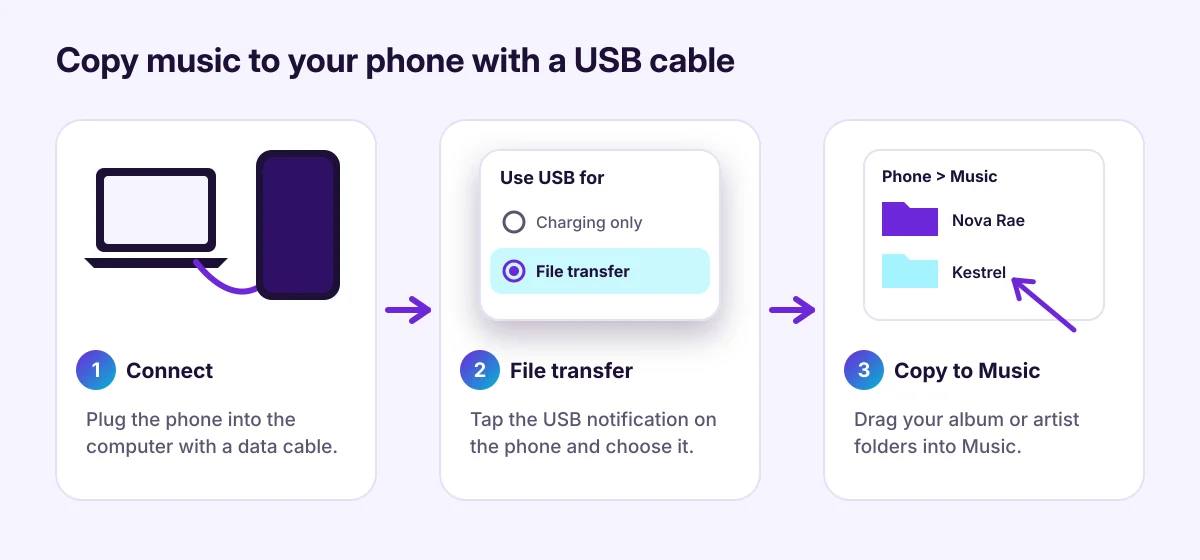
- Connect the phone to the PC with a USB cable that carries data. Some cheap cables only charge.
- Unlock the phone and tap the USB notification (it often says Charging this device via USB). Choose File transfer. On some phones it's called Transfer files or MTP.
- Open File Explorer on the PC. Your phone appears under This PC. Open it, then Internal storage (or Internal shared storage).
- Open the Music folder on the phone. Drag your artist or album folders into it, or copy and paste them.
- Wait for the copy to finish, then unplug the cable.
Mac: options that work
Macs don't show Android phones in Finder, and Google no longer offers its old Android File Transfer app for Mac. These are the simplest options:
- A USB flash drive or memory card. Copy the music onto a USB-C flash drive or a microSD card on the Mac, then plug it into the phone (with an adapter if needed). Open the Files app on the phone and copy the folders into Music.
- Your own cloud storage. Upload the music folders to a cloud drive you use, then download them on the phone. This uses data, so do it on Wi-Fi.
- A third-party transfer app that supports Android's file transfer mode (MTP) on macOS. Check the app's reviews and privacy policy first.
Wireless: Quick Share from Windows
Google's Quick Share app for Windows sends files from a PC to a nearby Android phone over Wi-Fi and Bluetooth.
- Install Quick Share on the PC and sign in or set your device name.
- On the phone, turn on Quick Share (it's in the share menu and in Quick Settings on most phones).
- On the PC, choose the music files or folders and send them to your phone.
- Accept on the phone. Received files usually land in Download or a Quick Share folder.
Music in the Download folder plays fine in Tunefold, which shows it in its own folder under Folders.
Memory card
If your phone has a microSD slot, a card is a cheap way to carry a big library:
- Put the card in the computer (with an adapter), create a Music folder on it and copy your music in.
- Put the card in the phone. Android adds the songs to its music library automatically after a short while.
After copying: make the songs show up
Android keeps a list of media files that music players read. New files are usually added within a minute.
- Open Tunefold. New songs appear on their own while the app is open. If they don't, go to Settings > Rescan music.
- Still missing? Restart the phone, which makes Android scan the storage again.
- Short tracks missing? Tunefold hides clips shorter than 30 seconds by default, so voice notes and ringtones don't clutter your library. Change it in Settings > Hide short audio.
If songs still don't appear, our guide to music files not showing on Android covers hidden folders, unsupported files and other causes.
Tips for a clean library
- Fix the tags before copying. Albums and artists in a music player come from the tags inside each file. A free tag editor on the computer can fix wrong titles or split albums.
- Add cover art. Album covers embedded in the files show up in the player, the notification and on the lock screen.
- Avoid duplicate copies of the same folder in Music and Download, or every song shows up twice.
Common questions
Do I need an app on the computer? Not on Windows: File Explorer handles the copy. On a Mac, a flash drive or memory card avoids extra software.
Does copying music use mobile data? No, not with a cable or a memory card. Cloud storage downloads use data unless you're on Wi-Fi.
Can I transfer songs from a streaming app? No. Streaming downloads are protected and can't be copied. See offline music on Android for the difference.